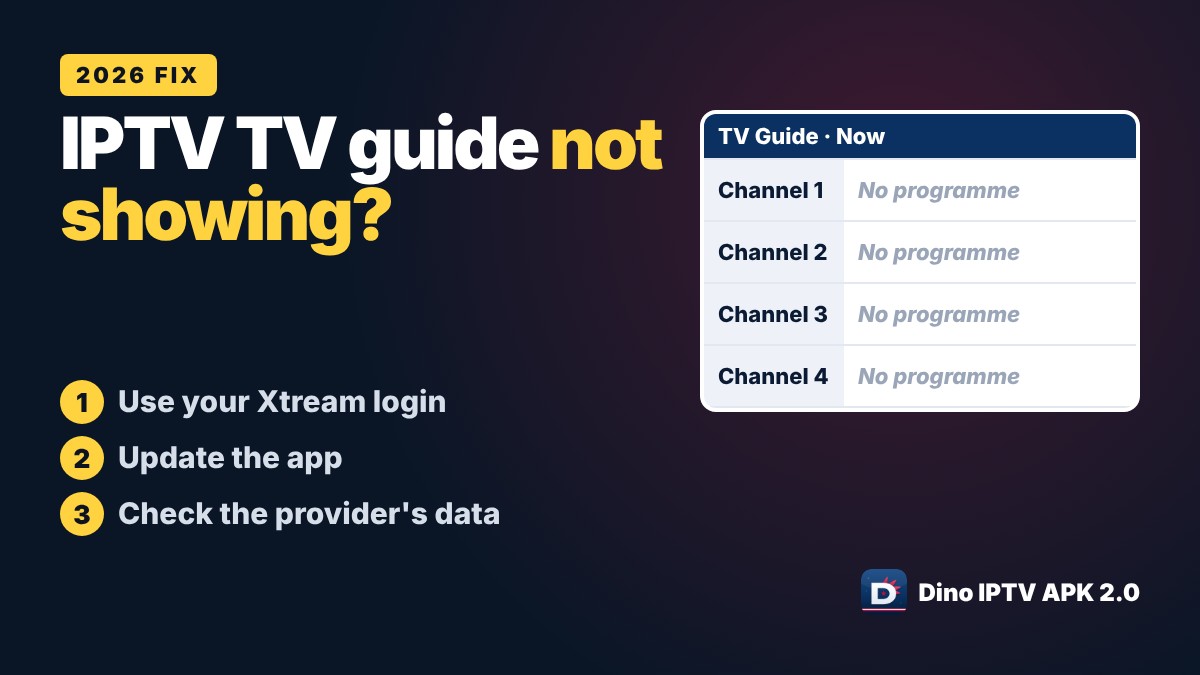
You open your IPTV app, the channels play, but the TV guide is empty: no programme names, no times, just blank rows or “No programme”. It’s one of the most common IPTV questions, and in most cases nothing is broken. The guide (called EPG, electronic programme guide) comes from your provider, and a few simple things decide whether it shows up. Here’s why it happens, how to fix it in a few minutes, and how the TV guide works in Dino IPTV APK (Dino Sports) 2.0.
- Most common causeSigned in with an M3U link
- Quick fixUse your Xtream Codes login
- Also checkApp version & provider data
Want a TV guide that just works?Dino IPTV APK 2.0 shows what’s on now under every channel, a 6-hour guide and programme details on phones, Fire TV and Android TV. New users get a 24-hour free trial: open Account and scan the QR code with your phone. See Dino IPTV APK.
Why the TV guide is empty
An IPTV app doesn’t make the guide itself. It asks your provider’s server for the programme list of each channel. If the guide is missing, it’s usually one of these:
- You signed in with an M3U link. Many M3U playlists contain only the channel links, with no guide attached. The same account signed in with an Xtream Codes login (server, username, password) usually has the guide.
- Your app is out of date. Older app versions may not show a guide at all, or may not read the format your provider uses.
- The provider has no data for that channel. Not every channel has guide data. Event channels, backup feeds and some international channels often don’t.
- The guide is still loading or the server is busy. Guides load channel by channel. A slow server can take a moment, especially on large playlists.
Fix 1: Sign in with your Xtream Codes login
If your provider gave you both an M3U link and an Xtream Codes login, use the Xtream login. In most IPTV apps you choose Xtream Codes (sometimes called “Xtream API”) instead of M3U, then enter:
- Server address, for example http://server.example:8080
- Username
- Password
Typing these with a TV remote is slow. In Dino IPTV APK you can type them on your phone instead: on the TV open Account, scan the second QR code (“Have another account? Type it on your phone”), type your login and press Send to TV.
Fix 2: Update your app
Check that you’re on the newest version of your player. In Dino IPTV APK, an “Update available” bar appears when a new version is out: on a phone tap Update; on Fire TV or Android TV open the Downloader app and enter code 9618203 to install the latest version over the old one. Your login and settings stay.
Version 2.0 added the TV guide on every screen: the programme on now under each channel, a timeline from 30 minutes ago to 6 hours ahead, and details for any programme.
Fix 3: Check whether the provider sends data for that channel
If most channels show a guide but a few show “No programme”, the provider simply has no listings for those channels. That’s normal and can’t be fixed in the app. If no channel shows a guide even with an Xtream login and the newest app, contact your provider and ask whether EPG is included in your plan.
Good to knowIf the guide can’t be loaded at that moment, Dino IPTV APK says “TV guide not available right now” and tries again by itself. “No programme” means the provider answered but has no listings for that channel.
Other checks if the guide is wrong
The times are off by a few hours
Check the date, time and time zone on your device. The guide is shown in your device’s local time.
The guide shows yesterday’s programmes
Close and reopen the app so it fetches fresh data. In Dino IPTV APK the guide refreshes by itself every 10 minutes.
Only some groups have a guide
Some providers attach guide data only to their main channels. Try the main version of the channel rather than a backup feed.
The guide works on one device but not another
Make sure both devices use the same login type (Xtream, not M3U) and the same app version.
How the TV guide works in Dino IPTV APK 2.0
- Open Watch › Live TV. Under each channel you see what’s on now with a progress bar, or what’s on next.
- Tap TV Guide for the timeline. A red line shows the current time; games are highlighted.
- Tap any programme for its start and end time, description and minutes left, then Watch Live.
- On Fire TV and Android TV, move through the guide with the remote. The panel on top describes the programme; press OK to watch.
You can also star channels to build a Favorites list, see Recently watched, and lock adult groups with a 4-digit PIN in Account › My channels.
Start free: scan the QR on your TV
New to Dino IPTV? Install the app (Downloader code 9618203 on Fire TV, or see the install guide), open Account and scan the QR code with your phone. Sign up on your phone with a new email and the 24-hour free trial starts; the TV signs in by itself. No typing with the remote.
Every game of the day, plus prizes
Today’s games
The app and our game schedule list every game of the day with start times.
Free weekly Pick’em
Pick winners in the app’s Picks tab, up to 15 games a week (Monday to Sunday ET). No subscription needed.
10 right = 1 month
Get 10 correct in one week to win a free month of Dino IPTV; 100 in a row wins a free year. See the rules.
FAQ
Why does my IPTV have no TV guide?
Usually because you signed in with an M3U link that has no guide attached, your app is outdated, or your provider sends no guide data for those channels.
Does an M3U link have EPG?
Sometimes, but often not. An Xtream Codes login from the same provider usually includes the guide.
What does “No programme” mean?
The provider answered but has no listings for that channel. It’s not an app error.
Does Dino IPTV APK have a TV guide?
Yes. Version 2.0 shows what’s on now under every channel, a 6-hour guide and programme details on phones, Fire TV and Android TV.
Get a TV guide on every channel
What’s on now, a 6-hour guide, favorites and a parental lock, plus every game of the day and free weekly Pick’em. Start with a 24-hour free trial.
Sources: Dino IPTV APK 2.0 app (TV guide, Account sign-in, My channels), November 2026; general Xtream Codes / M3U behavior of IPTV players. Menu names can vary by app version. Information as of November 11, 2026.
Fire TV is a trademark of Amazon.com, Inc. Android TV is a trademark of Google LLC. Dino IPTV is not affiliated with them. Use only content you are licensed to watch.