You plugged in a brand-new Fire TV Stick, opened Downloader, typed a code, and nothing installs. Or you can’t even find Install unknown apps in Settings. You didn’t do anything wrong. The newest Fire TV Sticks run a different system called Vega OS, and Vega OS doesn’t allow apps from outside the Amazon Appstore. Here’s which sticks are affected, how to check yours in 30 seconds, and what to do next.
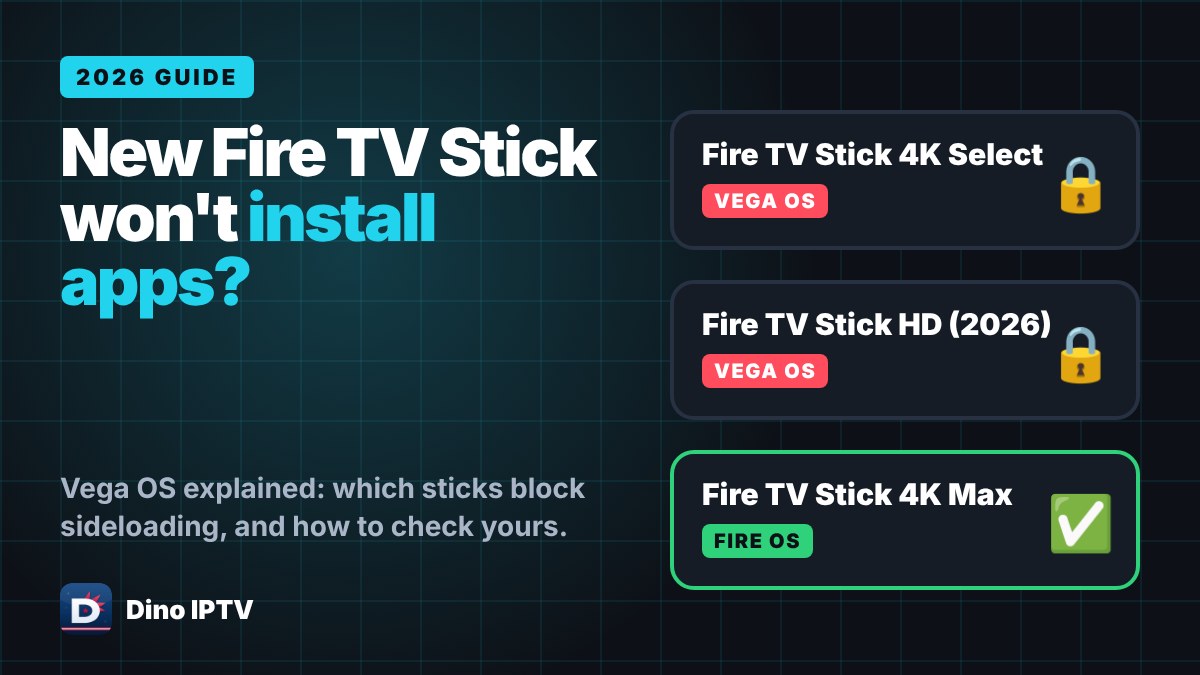
- Blocked onFire TV Stick 4K Select & Fire TV Stick HD (2026)
- Still works onFire OS sticks like the Fire TV Stick 4K Max
- Check yoursSettings › My Fire TV › About
What is Vega OS?
For years, every Fire TV Stick ran Fire OS, Amazon’s version of Android. Because it’s Android underneath, you could install apps from outside the Appstore with an app like Downloader. That’s called sideloading.
Vega OS is Amazon’s newer, Linux-based system. It started with the Fire TV Stick 4K Select in October 2025, and the new Fire TV Stick HD (2026) runs it too. Amazon has said future Fire TV Sticks will run Vega OS. On Vega OS, regular users can only install apps from the Amazon Appstore. Android apps (APK files) don’t run on it at all, so Downloader codes can’t work there.
Good to knowAmazon says sideloading on Vega OS is only for developers testing their own apps on registered devices. For everyday users, there’s no setting to turn it on.
Which Fire TV devices are affected?
| Device | System | Downloader & APK apps |
|---|---|---|
| Fire TV Stick 4K Select (2025) | Vega OS | Not supported |
| Fire TV Stick HD (2026) | Vega OS | Not supported |
| Fire TV Stick 4K Max (2nd Gen, 2023) | Fire OS | Supported |
| Older Fire OS sticks and Fire TV Cube | Fire OS | Supported |
Model names can be confusing, and Fire TV smart TVs vary by brand and year. The only reliable way to know is to check the software on your own device.
How to check if your Fire TV has Vega OS or Fire OS
- On the Fire TV home screen, open Settings (the gear icon).
- Go to My Fire TV › About.
- Look at the software line. If it shows Fire OS with a version number (for example Fire OS 7 or Fire OS 8), your device can install apps with Downloader.
- If it says Vega OS, or there’s no Fire OS version number at all, your device can’t sideload.
Fire OS?You’re good. Follow our Fire Stick install guide with Downloader code 9618203. If the code doesn’t start, see 4 quick fixes.
“Install unknown apps” is empty on a Fire OS stick?
That’s a different problem. In fall 2026, a Fire TV Settings update made the Install unknown apps list show up empty or incomplete on some Fire OS devices. Amazon confirmed it was a bug, not a new block, and rolled out a fix through an automatic Settings update.
- Go to Settings › My Fire TV › About › Check for Updates and install anything available.
- Restart: Settings › My Fire TV › Restart.
- Open Developer Options › Install unknown apps again and turn Downloader on.
Already bought a Vega OS stick? Your options
Return or swap it
If you’re still inside the store’s return window, a Fire OS model (like the 4K Max) or an Android TV / Google TV device keeps app installs open.
Use your phone or tablet
Dino IPTV runs on iPhone & iPad without the App Store, and on Android phones.
Use a computer
Watch on Windows or Mac right in the browser, no download needed.
Not sure which games are on tonight? Our IPTV schedule lists every NFL, NBA, NHL, MLB, MLS and college game of the day with kickoff times.
Buying a streaming device for apps like Dino IPTV?
- Before you buy a Fire TV Stick, check the product page or box for the operating system. Avoid models listed with Vega OS if you want to install apps outside the Appstore.
- Fire OS models such as the Fire TV Stick 4K Max (2nd Gen) still support Downloader while they’re on sale.
- Android TV and Google TV devices also let you install apps with Downloader from the Google Play Store.
Watch the 30-second version
Start in seconds: QR sign-in and a 24-hour free trial
On Fire OS sticks, Android TV and Google TV, Dino IPTV APK (Dino Sports) doesn’t make you type long logins with the remote. A QR code appears on your TV: scan it with your phone camera, sign up on your phone (a new email starts the 24-hour free trial), and your TV signs in by itself. The same QR handles adding an account, renewing and getting help.
24-hour free trial
Scan the QR on your TV, sign up on your phone. No typing server URLs or passwords with the remote.
Win a free month
Free weekly Pick’em: up to 15 picks a week, 10 correct wins a month of Dino IPTV.
Every game, with times
The app and our IPTV schedule list every NFL, NBA, NHL, MLB, MLS and college game of the day.
FAQ
Can I turn on sideloading on the Fire TV Stick 4K Select?
No. The 4K Select runs Vega OS, which doesn’t run Android apps and has no setting for installing apps from outside the Amazon Appstore.
Will my older Fire TV Stick be switched to Vega OS?
Amazon hasn’t announced moving existing Fire OS sticks to Vega OS. After any big update, you can confirm in Settings › My Fire TV › About.
Is the Fire TV Stick 4K Max still a good choice?
Yes, if you want to install apps with Downloader. The 4K Max (2nd Gen, 2023) runs Fire OS and supports it.
What’s the Dino IPTV Downloader code?
The code is 9618203. It works on Fire OS devices, Android TV and Google TV.
Watch on any screen
Fire OS stick, Android TV, iPhone, Android phone or computer: Dino IPTV gives you every game of the day with live scores, plus live TV, movies and series. Start with a free trial.
Sources: AFTVnews, Android Authority, XDA Developers. Information as of November 2026.
Amazon, Fire TV, Fire TV Stick and Vega OS are trademarks of Amazon.com, Inc. Downloader is an app by AFTVnews. Dino IPTV is not affiliated with or endorsed by Amazon, AFTVnews or any sports league.